
Viblu AI Film Studio™
Professional AI Filmmaking Tools
A complete suite for professional AI Filmmakers following the cinematic industry standards.
Viblu Originals
Produced with AI Film Studio™
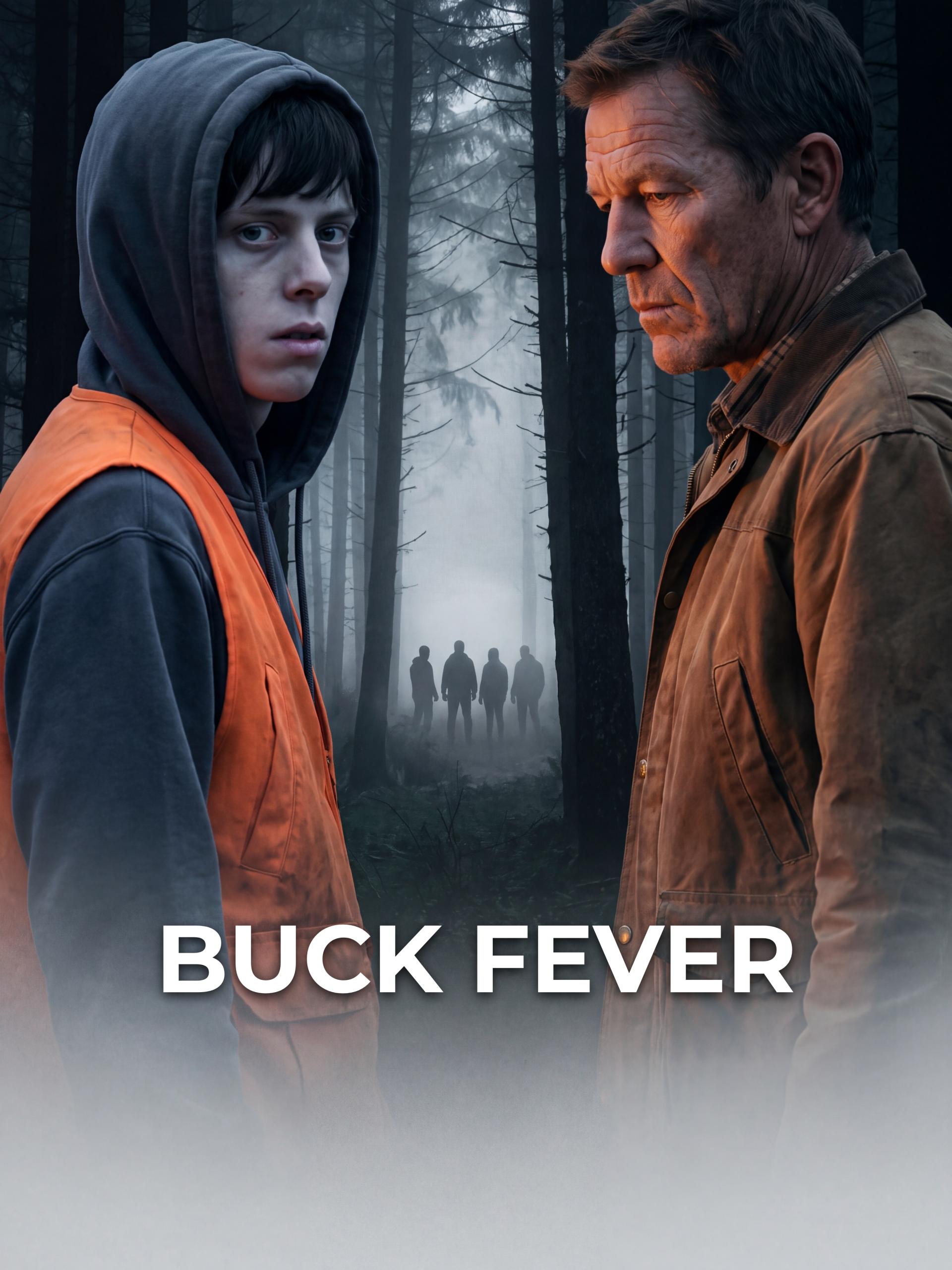
BUCK FEVER
Made with Viblu AI Film Studio™

KNIGHTFALL
Made with Viblu AI Film Studio™
EARLY ACCESS
Your screenplay, shot.
Viblu AI Film Studio takes a script from breakdown to rendered scenes — cast, locations and props that stay consistent across every shot. In early access now.
S
The Workflow
The route most films take, in order.
Director & DP
Lock the look before anything is written down.
Production Bible
Cast, locations and rules, drawn from the script.
Breakdown & Shot List
Every scene indexed, every shot designed.
Character Studio
One canonical likeness per role.
Prop Studio
The objects the story actually turns on.
Location Plate
A place you can shoot from any angle.
Scene List
Build each scene from its own mini-bible.
Production Report
Stripboard, day-out-of-days, wardrobe.
The studios
Departments you open when the film needs them.
Costume Creator
Wardrobe variants that stay on the character.
Talent Agency
A roster you can cast from twice.
Voice Over Studio
A voice locked to each character card.
Score It
Music cues that follow the cut.
Virtual Set
3D locations you can re-light and re-angle.
Scene Lab
Build a whole scene in one pass.
Reimagine Studio
Take a frame somewhere else entirely.
Any Scene
A one-off scene with no film attached.
Deliver & promote
What you hand over when the film is done.
Prompt craft
For when the shot is nearly right.
LIRA
Image prompts that hold a look.
CINEDANCE
Video prompts with real camera language.
Scene Prompt Composer
Compose a scene prompt from its parts.
Prompt Doctor
Diagnose a prompt that keeps missing.
Prompt Fixer
Repair a prompt without starting over.
Cinematography KB
Lenses, lighting and grammar, on tap.
Film Method KB
How the craft is actually done.
All apps
Recommended apps to get you started
Talent Creator
Create reusable AI actors (talents) with an art name. Talents live in your global directory and can be hired into any film to play characters.
Talent Agency
Your casting agency — browse your AI talents, view each one's poses & info, add poses, mark them available for hire, and cast them into any film.
Character Studio PHP
Generate every character and costume look straight from the film bible — base identity, poses, model sheet and variants — saved as @[name] assets. Native PHP studio.
Character Library
Every character you create — with all its costume variants — collected in one place, reusable across films. Import any character into any project (base + all looks), just like hiring a talent. Characters survive project deletion, preserved in your global library.
Costume Creator
Design reusable costumes with the full studio
Wardrobe & Props catalog
Your catalog of reusable costumes and props.
Prop Studio
Native prop generator: create a prop as ONE multi-angle reference sheet (front, three-quarter, side, rear) on a clean studio background, from a short description and/or a reference photo. Modelled on the Character Studio. Saves each prop as a reusable @asset — into a film or the shared Library — with a catalog, regenerate, rename and delete. Scene cards can then pick it via “Use existing”.
Props Generator
Design reusable props with the full studio
Prop Library
Your catalog of reusable props — browse every prop across all your films, open one to see its angles, rename, and delete. The prop analog of the Location Library & Talent Agency.
Location Studio
Every location in the film — one plate per place, with its compass facings and a top-down site map. Replaces Location Plate.
Location Plate
Location Library
Your catalog of reusable locations & environments — browse, open, add angles/views, edit, and delete. The location analog of the Talent Agency and Wardrobe & Props.
Vehicles Studio
Every vehicle in your film, organised by type, make and period. Define it properly — model and generation, trim, wheels, condition, livery — then generate a multi-angle reference sheet with a readable IDENTIFICATION plate: a licence plate for a road vehicle, a tail number for an aircraft, hull registration for a boat, a unit number for an emergency vehicle.
Single Scene builder
References-only scene builder. Pick a film and scene; the bible is not used for the look or acting — every visual comes from your reference images. SIMPLE mode (default) keeps the screenplay verbatim and only tags in the references, then generates the scene as one or more short parts with the model choosing the coverage — you anchor the look with a line, an attached clip, a look still, or a one-click draft from the bible, and a density-aware split keeps the pacing natural. BREAKDOWN mode instead runs an on-the-fly technical breakdown (assets green/red to generate, plus a Director/DP coverage plan) and assembles the scene in the proven prose Scene-Card format. Continuity holds on the reference images and, between parts, attaching the previous rendered clip. Good for testing a single scene, or producing a whole film scene-by-scene as standalones.
Any Scene Any Film
Insert an extra scene into a film — numbered 1A, 1B… under any existing scene — written into the screenplay, the bible updated, and a real Scene Card added (review before it commits). Or build a standalone scene filmless: describe, enhance, process into a narrated colour-coded prompt, stills and three video-prompt types from your Asset Library.
Scene Prompt Composer
Compose the perfect starting frame on top of the exact location angle: analyze the plate into clickable elements, replace mannequins with your real characters, insert props, and save the still straight to the shot. Built on the Reimagine engine.
CINEDANCE Video Prompts
The video-prompt skill. Pick a film, scene and shot from your breakdown (or describe a shot) and CINEDANCE writes a clean, production-ready, high-budget video prompt in the 15-block architecture — running its silent 4-D method and self-QA, pulling your film's locked voice, location, look, optics, geography and acting from the Method KB, and referencing your named @assets. Includes the ACTING skill (write a character's master profile or a per-scene adaptation) and an auditor that checks a prompt against the doctrine's own checklist. The CINEDANCE + ACTING rulebooks are fully editable and cascade from a global default to per-film overrides.
Score It!
Design a film's musical score from its bible and breakdown. The AI reads the story, defines one cohesive sonic identity, then writes the main theme, a leitmotif for each main character, and emotion cues mapped to the scenes that need them — tension, dread, romance, grief, triumph. Every cue comes with a ready-to-paste music prompt. Edit, refine and add cues.
Movie Poster Studio
Generate movie posters in every standard aspect ratio.
Delivery Room
Delivery Room
Reimagine Studio
Upload an image — it becomes a saved project. The AI analyzes it into a detailed prompt + clickable elements you can Replace (from your catalogs or an upload), Remove, or Edit. Non-destructive versions, recreate-from-prompt, and download. A Photoshop-style, AI-native image editor.
Prompt Doctor
Paste a scene prompt and put it under the doctor: verify it for errors, inconsistencies and contradicting rules; enhance it; or freely edit it — add, replace or remove shots, characters, props and action. Bible-aware, it keeps your @asset tokens and shot/timecode structure intact and returns a clean, copy-paste-ready video prompt.
Cine KB
The film-craft rulebook every AI prompt obeys. Editable rules for still composition, coverage strategy, continuity and script supervision, narrative prompt craft, and the still-QC failure checklist — cascading from a global default to per-film overrides, each improvable with AI. Consulted automatically when a scene is narrated and when its stills are planned.
Film Method KB
The standing production-method rulebook captured from a high-quality-film workflow: how to write voices and accents, build location plates and the full angle kit, lock the look and colour bible, structure a video prompt in the 15-block skeleton, choose optics off the degree ladder, hold scene geography with a master shot and spatial map, and direct acting as behaviour and physics. Every rule is editable and cascades from a global default to per-film overrides — the memory the video-prompt tools will consult so nothing is forgotten.
Welcome back,
Here's your Viblu AI Film Studio usage overview
At a glance
Usage Trends
Your Apps
41 apps availableRecent Activity
your latest app runsAll activity
| Action | Made | Project | Processing | Credits | When |
|---|
Performance & Reliability last 30 days
- 2xx 0
- 4xx 0
- 5xx 0
Plans & Pricing
Buy a credit pack to keep going
Free
Open the demo film and walk the whole pipeline. Add credits when you want to start your own.
- Explore the demo film end to end
- See the breakdown, bible, shot list and 4K references
- Export the scene package and render it anywhere
- Add credits to start your own film · no card required
Starter
A first pack — 5,000 credits to get a production moving.
- 5,000 credits
Creator
The working pack for a short. 10% better rate than Starter.
- 25,000 credits
- 10% better rate than Starter
Studio
For a full production pass across many scenes. 20% better rate than Starter.
- 75,000 credits
- 20% better rate than Starter
Feature
Feature-length volume at the best rate we offer. 28% better than Starter.
- 200,000 credits
- 28% better rate than Starter
Billing & Payments
Manage your subscription and payment methods
No Active Subscription
Subscribe to a plan to access billing management
Invoice history
No invoices yet
Your receipts and Stripe invoices will appear here once you buy a credit pack.
See plansAccount Settings
Manage your account information and preferences
Referral Program
Sign in to see your referral link and earnings.
Support
Email Support
Need help? Our support team is ready to assist you.
Send us an email and we'll get back to you as soon as possible.